App · getdowntonight
Time Tracker
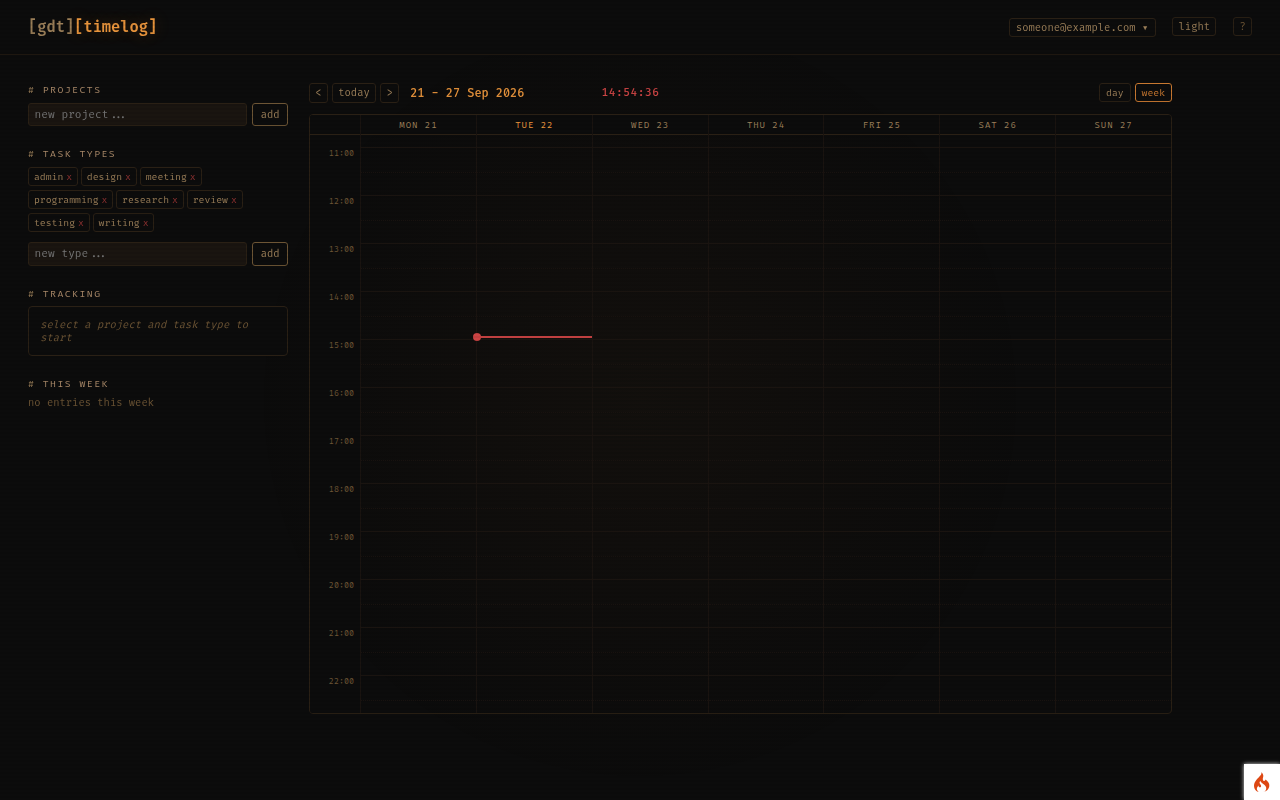
Track time across projects with a calendar view — log what you worked on, when, and see where the hours go.
Free account, added instantly from your dashboard
open Time Tracker
What it is
A lightweight time tracker for freelancers and anyone who bills, reports or just wants to know how their week was spent. Entries live on a calendar, grouped by project and task type.
What you can do
- Log entries against a project with a task type (development, meeting, admin — whatever you define), a duration and a note.
- Use the live timer: start when you begin, stop when you switch, and the entry is created for you.
- See your week or month as a calendar, and drill into any day.
- Statistics show hours by project and task type over any range, ready for an invoice or a report.
- Archive finished projects so the pick-lists stay short.
Who it's for
Contractors, consultants and small teams who need a truthful record of hours without a heavyweight tool.
Getting access
Create a free account and add Time Log from your dashboard.
Your data
Your projects and entries are private to your account. Your data is stored on servers in the EU, never sold or shared, and you can ask for it to be deleted at any time. See the privacy policy.